Procedure to config OKV backup (version 21.9)
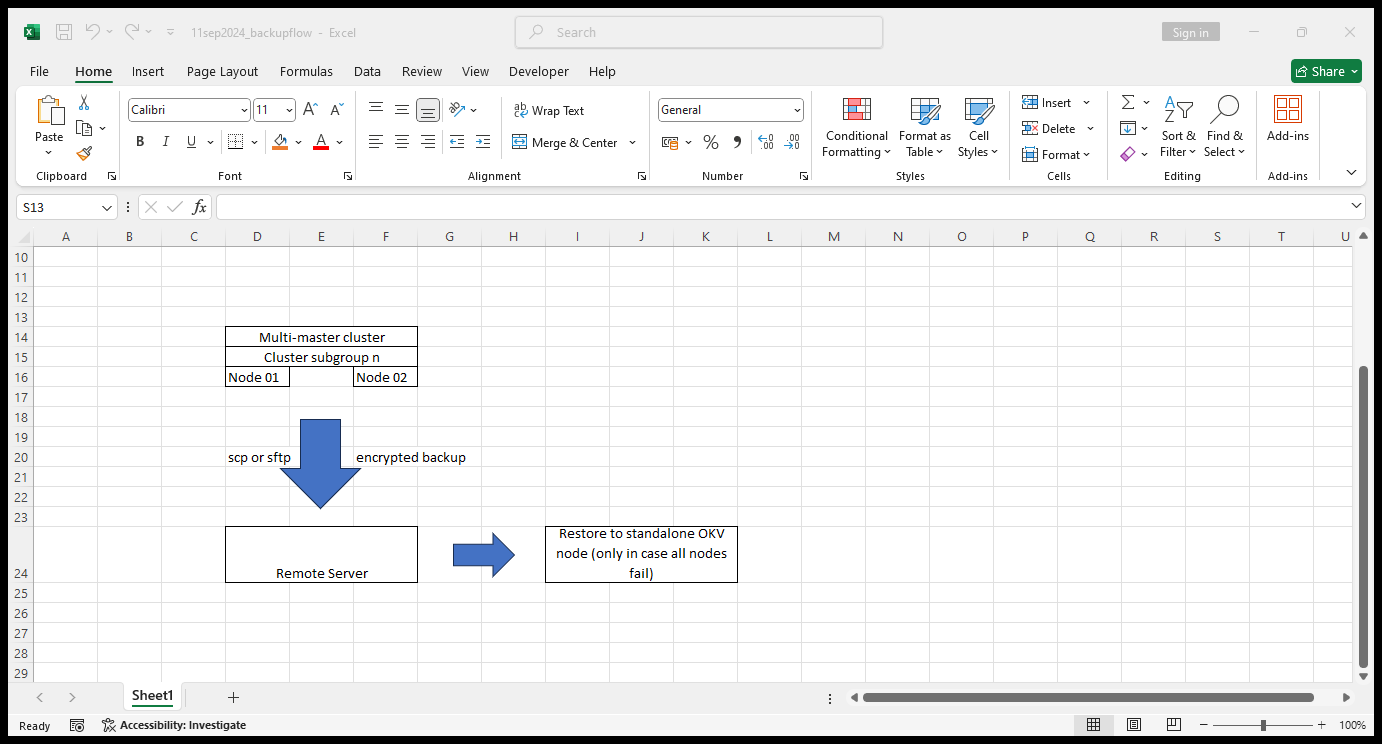
Backup Flow illustration:
Steps:
Backup destination creation
Backup schedule
Test backup and validation
Backup destination creation
a. Identify a target remote server, if one exists; to keep OKV backups.
remote server: vcentos79-oracle-sa1
2. Create necessary additional disk space for the backup with necessary user account
vgs
lvcreate -L 28672 appdata2_ssd2-vg -n okvbackup_ssd2
vgs
lvs
lvdisplay
df -Th
mkfs.xfs /dev/appdata2_ssd2-vg/okvbackup_ssd2
cp /etc/fstab /etc/fstab_16sep2024.bkp
vi /etc/fstab
mkdir /okvbackup_ssd2
mount /okvbackup_ssd2
3. Goto OKV web console and perform the following operations as system administrator
A. Create remote destination
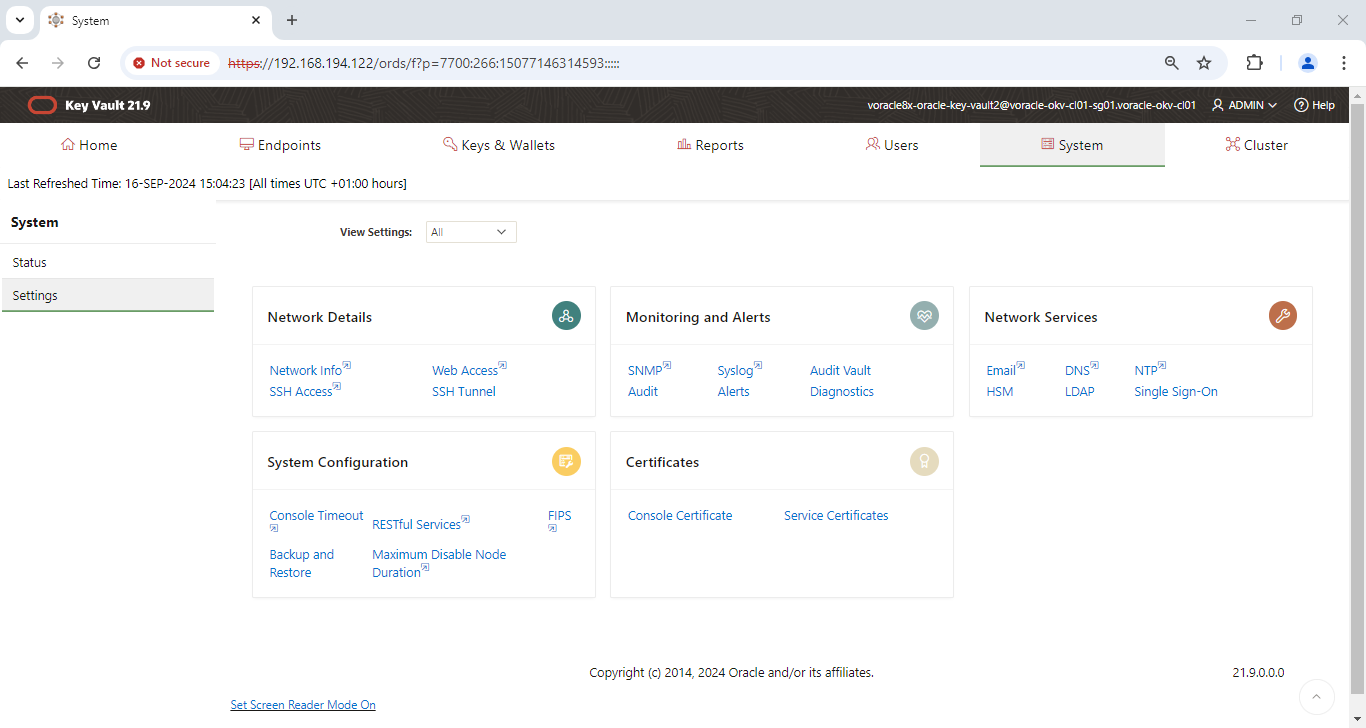
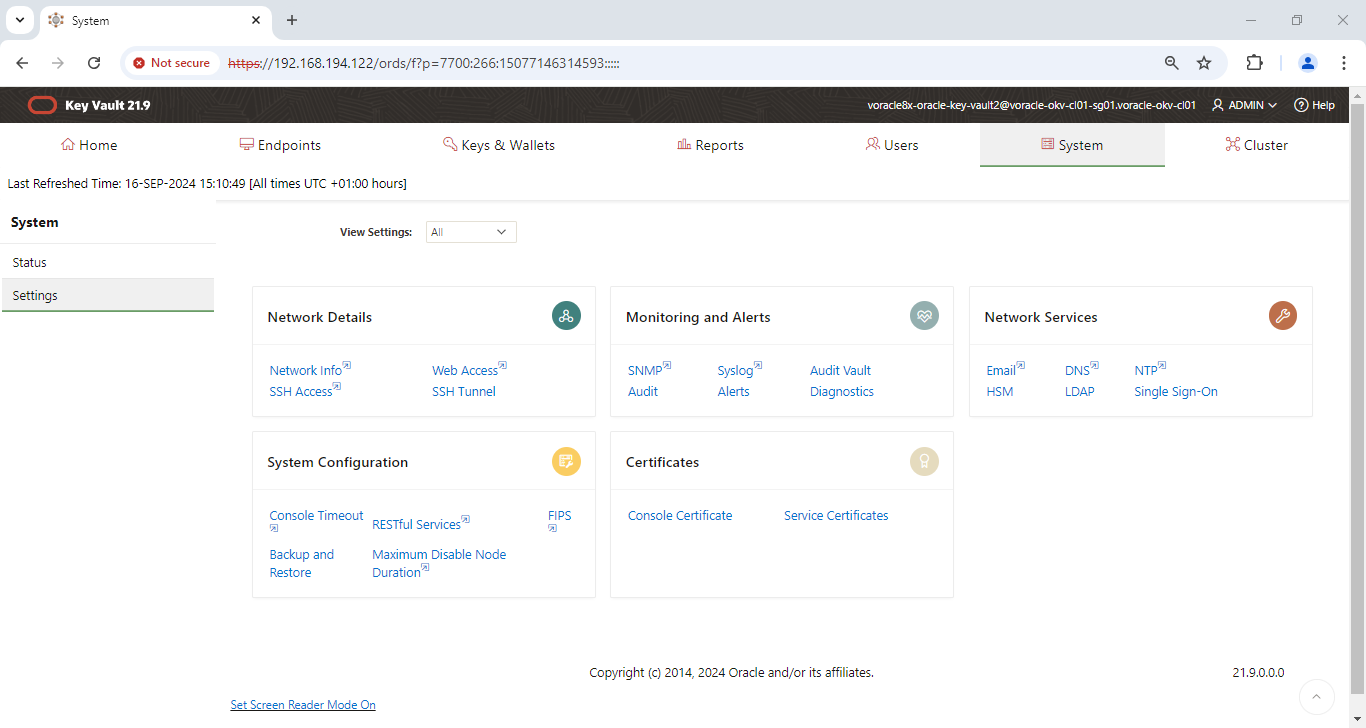
OKV console -> system -> settings -> backup & restore -> system backup page -> manage backup destinations -> create
destination name: remote_backup_dest1
remote server name: vcentos79-oracle-sa1
remote server ip: 192.168.194.5
remote server usn: oracle
remote server pswd: ?
Transfer method: scp
destination path: /okvbackup_ssd2/voracle9x-oracle-key-vault2-backup-dest1
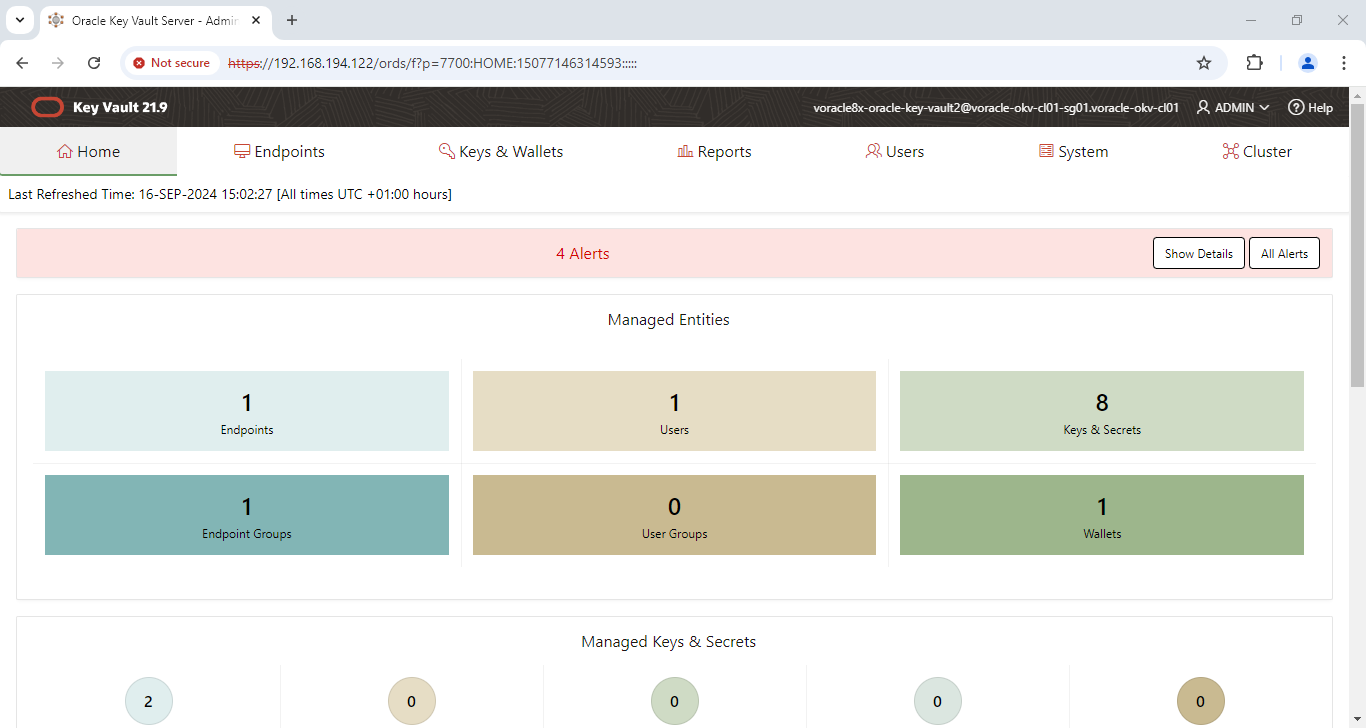
OKV Home page…
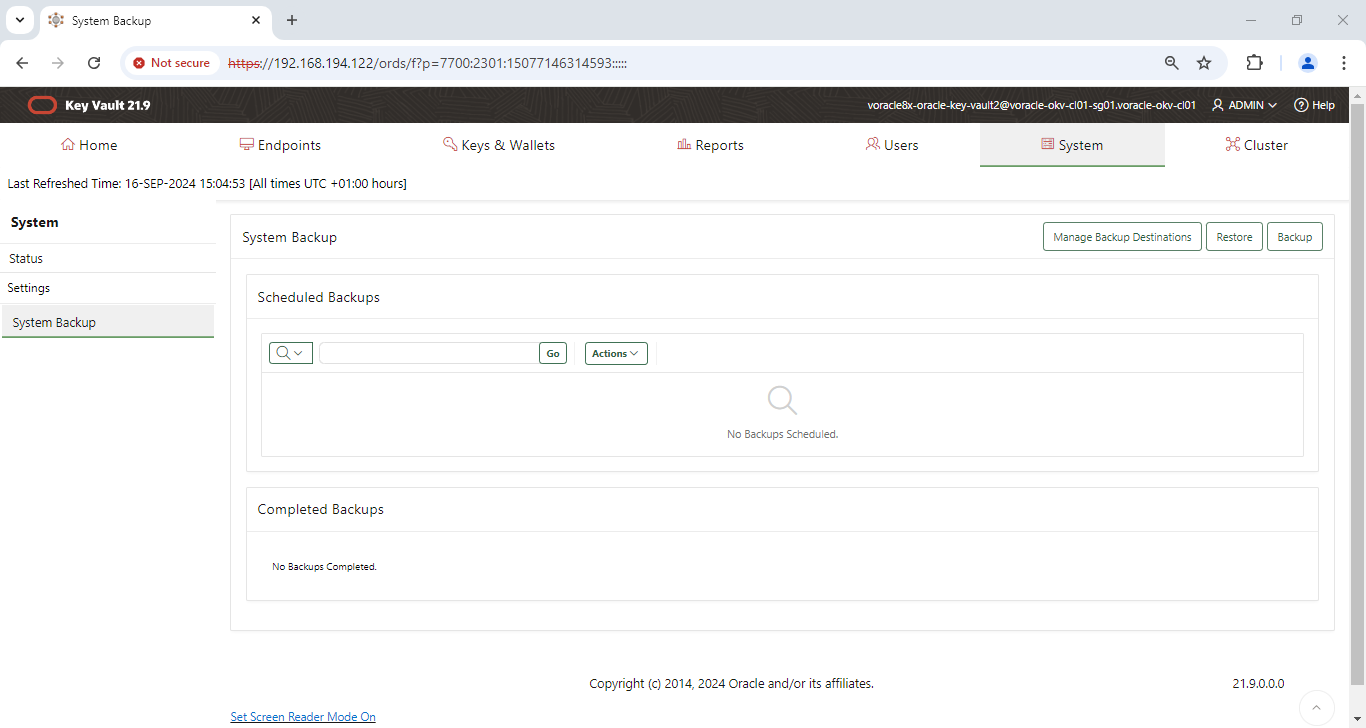
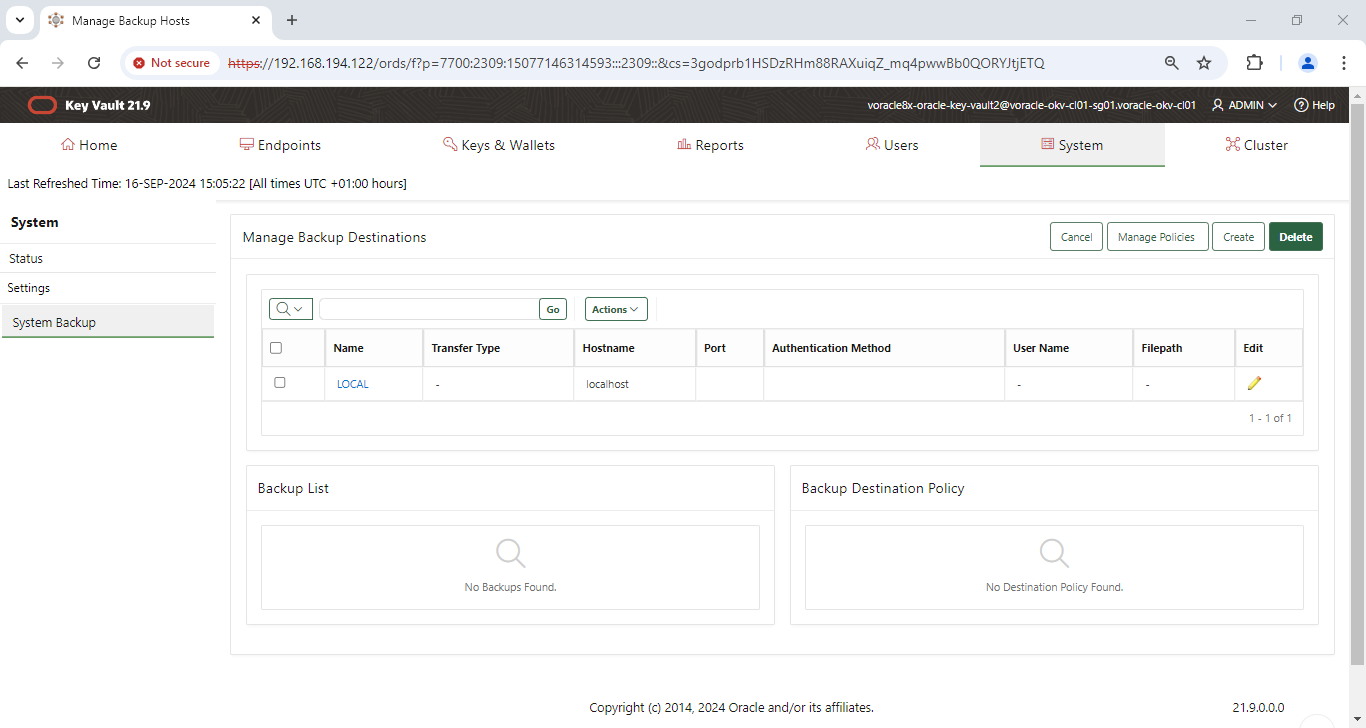
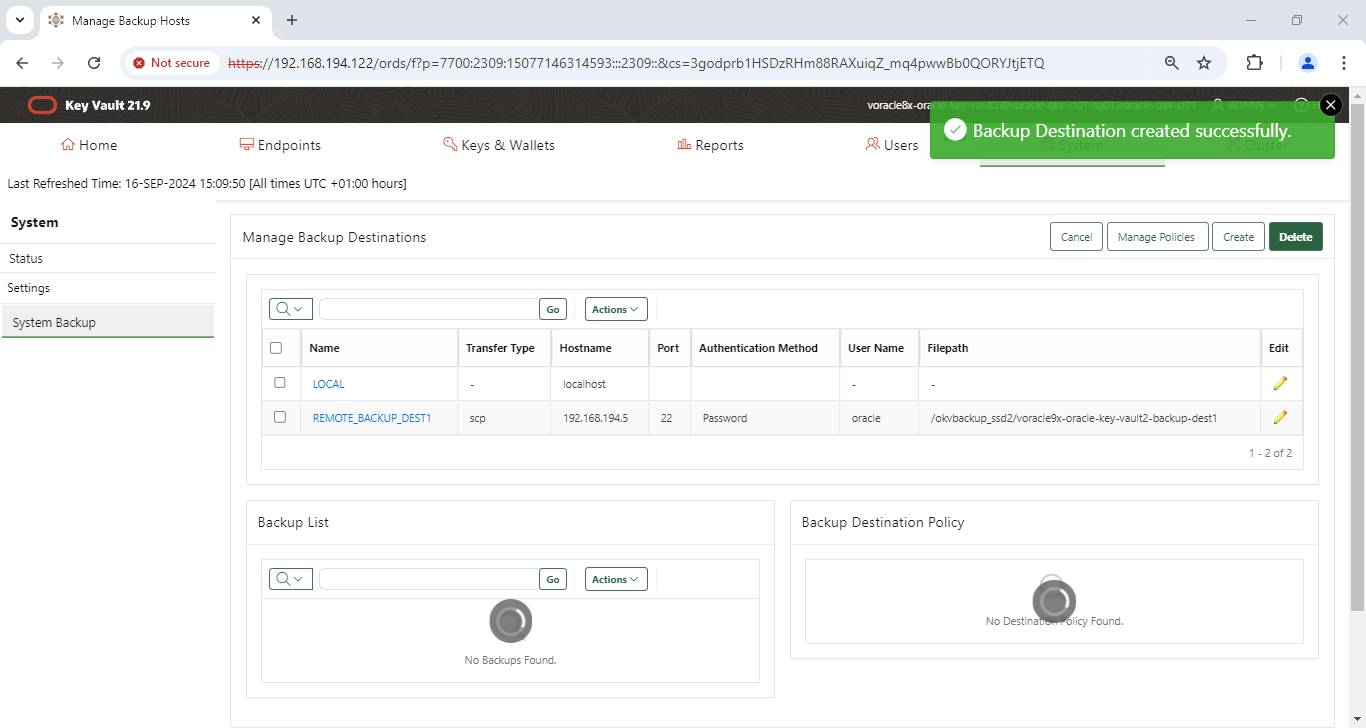
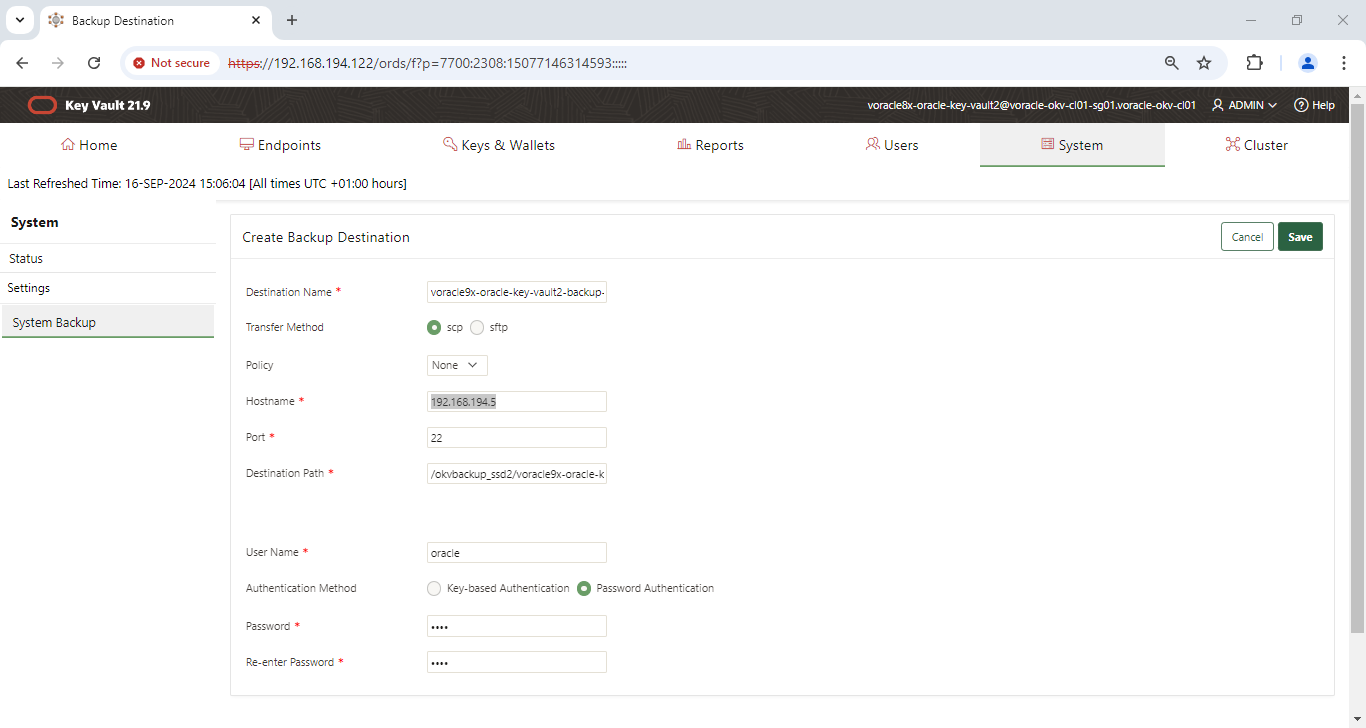
Scheduling the OKV backup:
We can secure a regular backup from OKV.
Flow diagram:
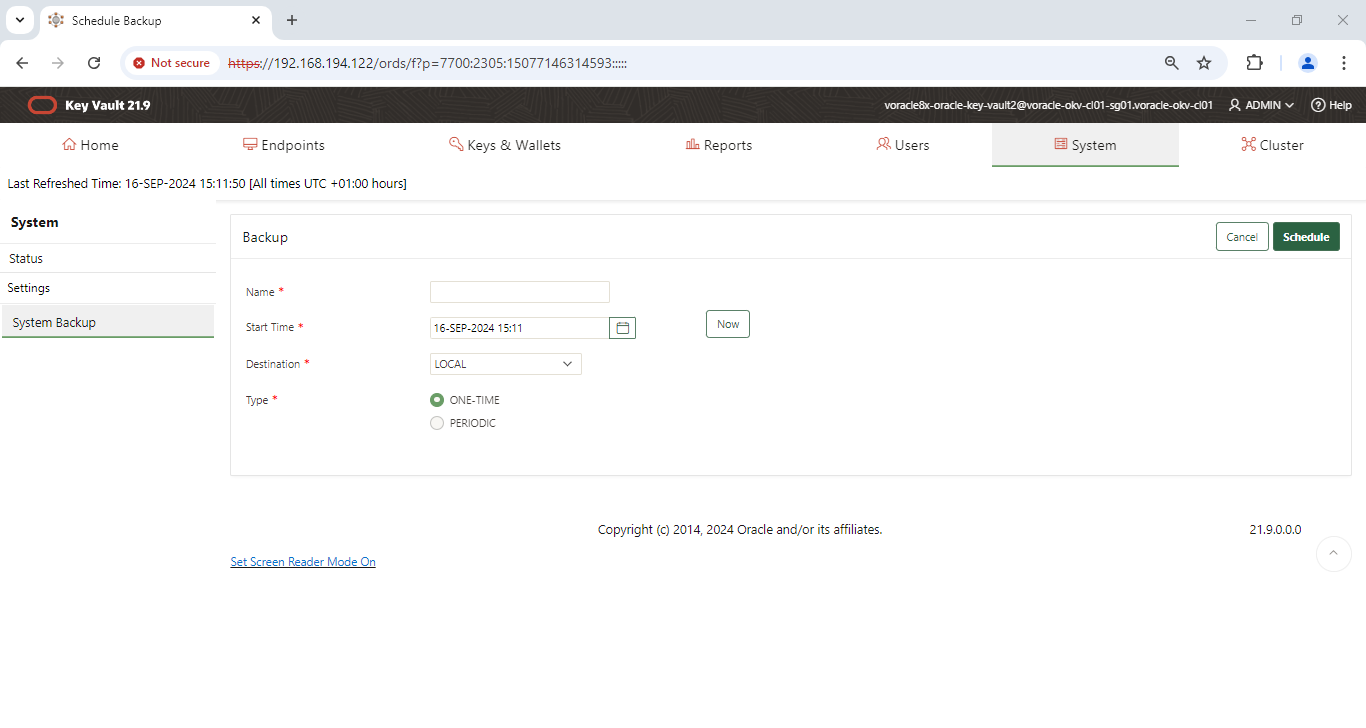
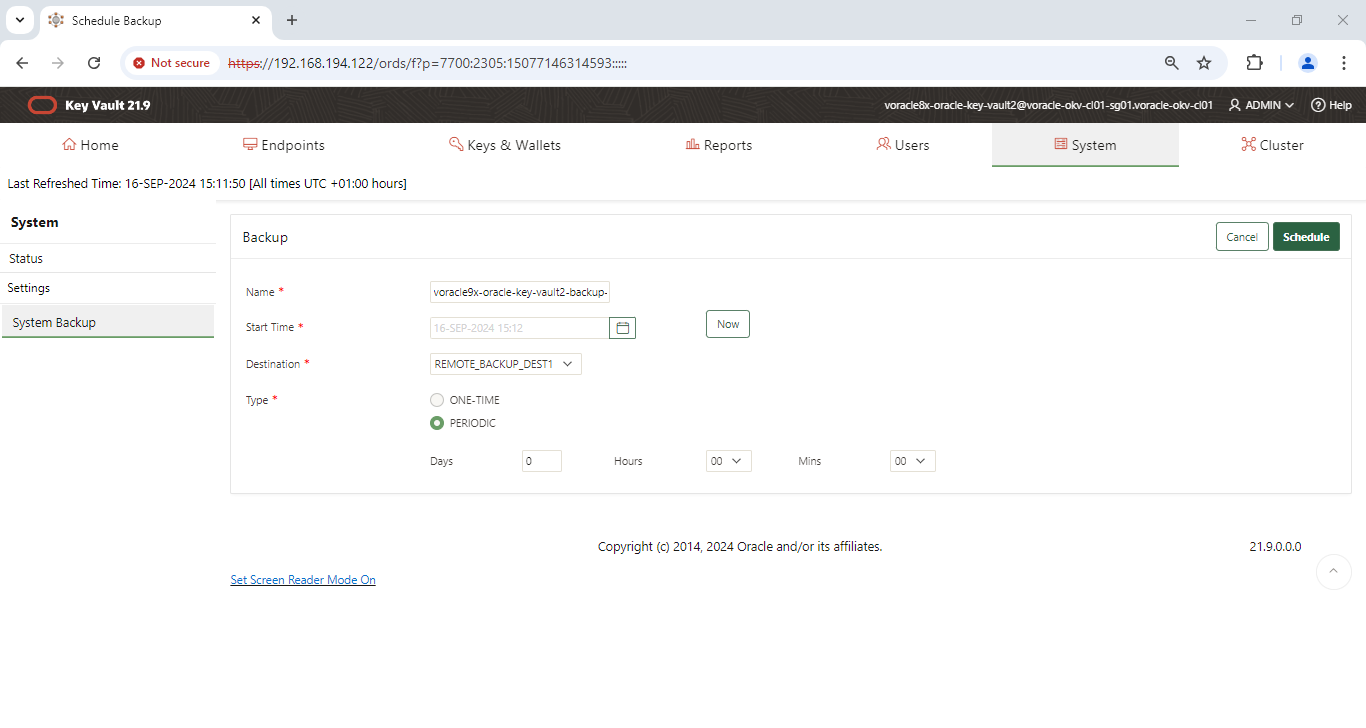
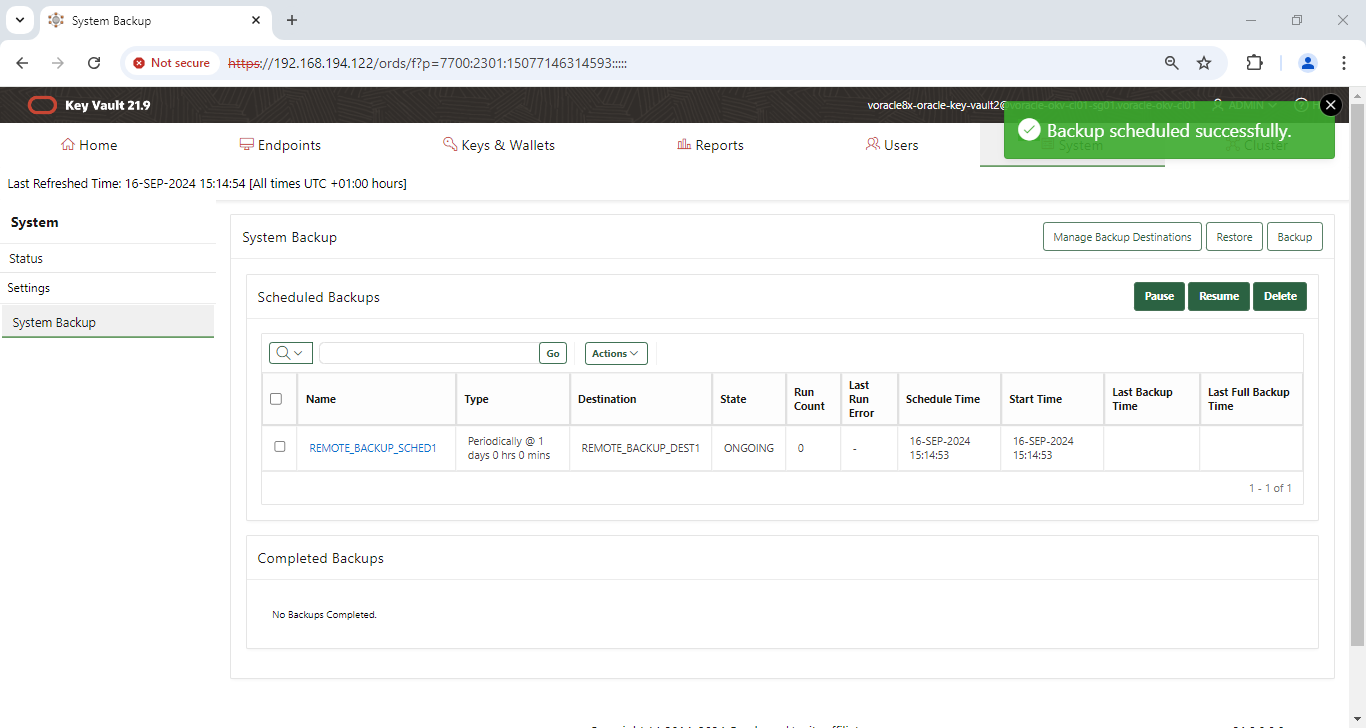
OKV console -> system -> settings -> backup & restore -> system backup page -> backup -> enter details requested (this page can be used to toggle between one-time or periodic)
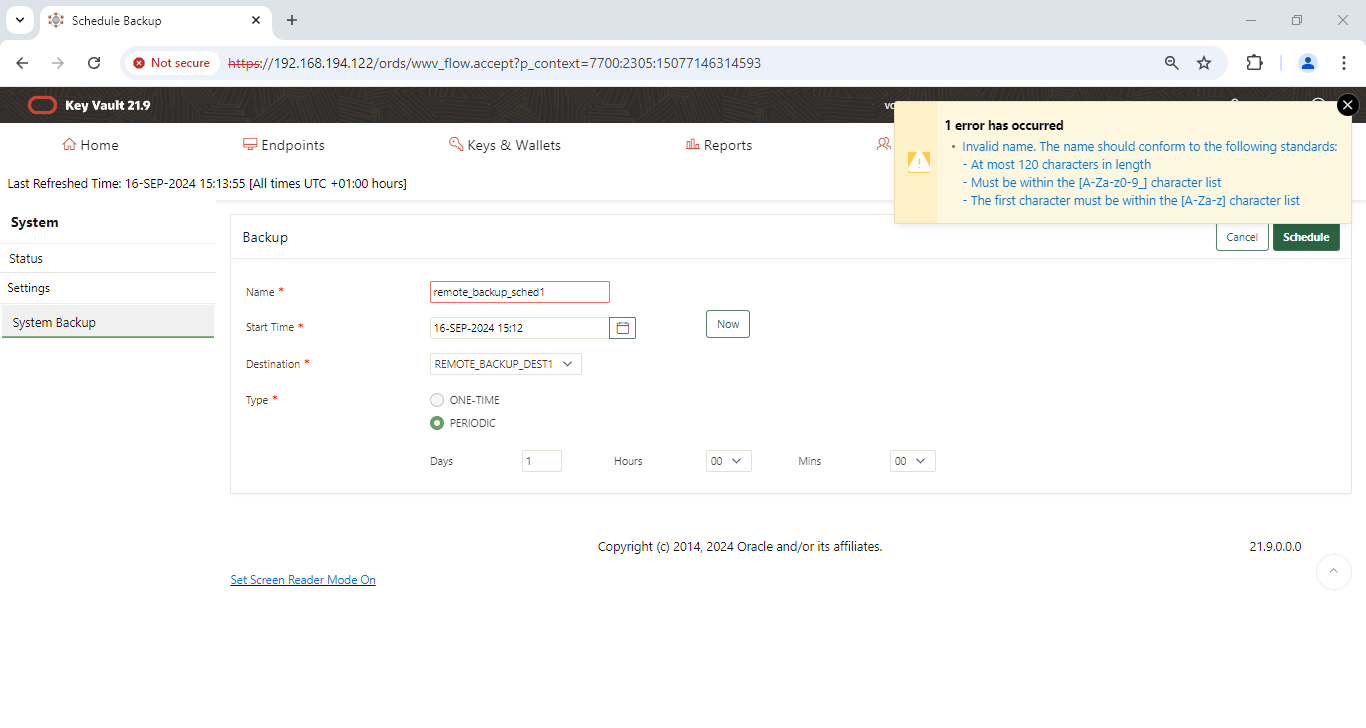
schedule name: remote_backup_sched1
Start time: Now or later in the evening
destination type: Remote
type: periodic
Backup validation:
Before the backup:
[oracle@vcentos79-oracle-sa1 okvbackup_ssd2]$ ls -altr
total 4
drwxr-xr-x. 2 oracle dba 6 Sep 16 14:42 .
dr-xr-xr-x. 24 root root 4096 Sep 16 14:44 ..
[oracle@vcentos79-oracle-sa1 okvbackup_ssd2]$
Test backup and validation
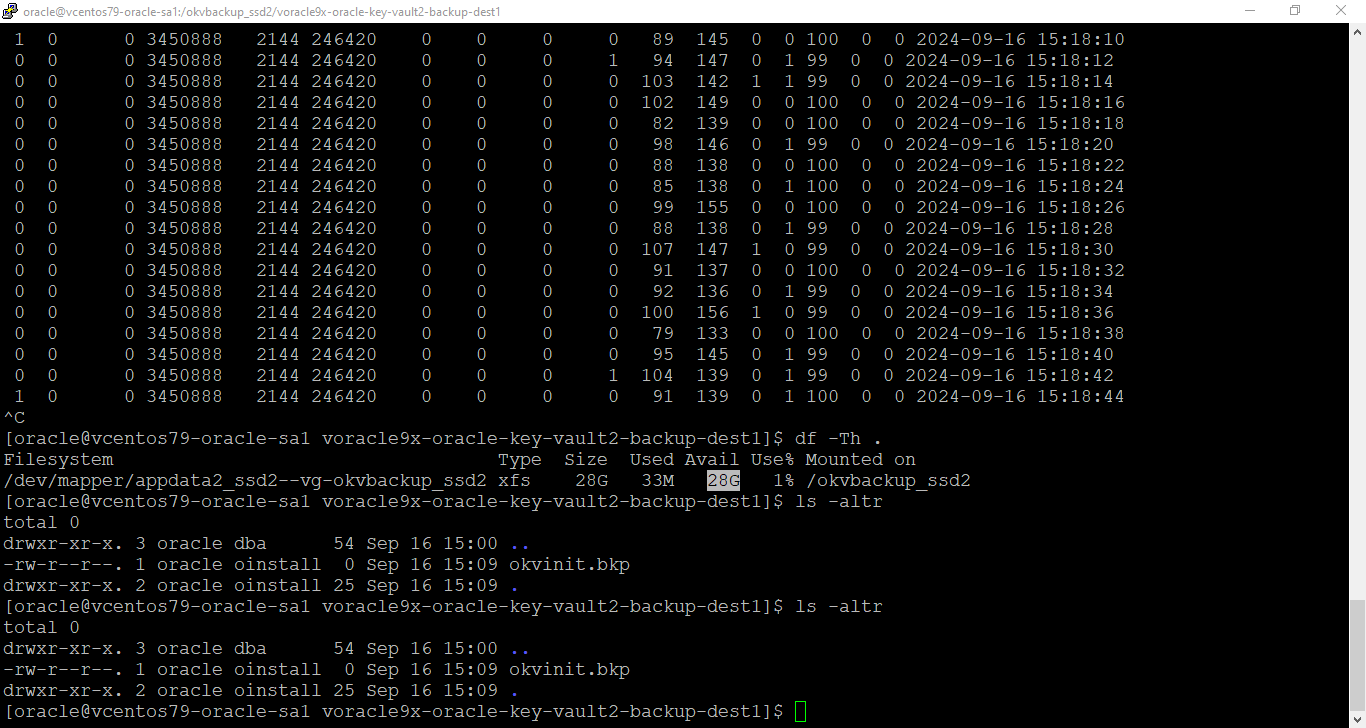
Scheduled backup started to run and we can see a file called okvinit.bkp created.
Our main concern is, we should protect the okvbackup_periodic.mgr file; which shouldn’t be over written and at the same time modified manually.
This is the catalogue of the OKV backup.
[oracle@vcentos79-oracle-sa1 voracle9x-oracle-key-vault2-backup-dest1]$ ls -altr
total 0
drwxr-xr-x. 3 oracle dba 54 Sep 16 15:00 ..
-rw-r--r--. 1 oracle oinstall 0 Sep 16 15:09 okvinit.bkp
drwxr-xr-x. 2 oracle oinstall 25 Sep 16 15:09 .
[oracle@vcentos79-oracle-sa1 voracle9x-oracle-key-vault2-backup-dest1]$
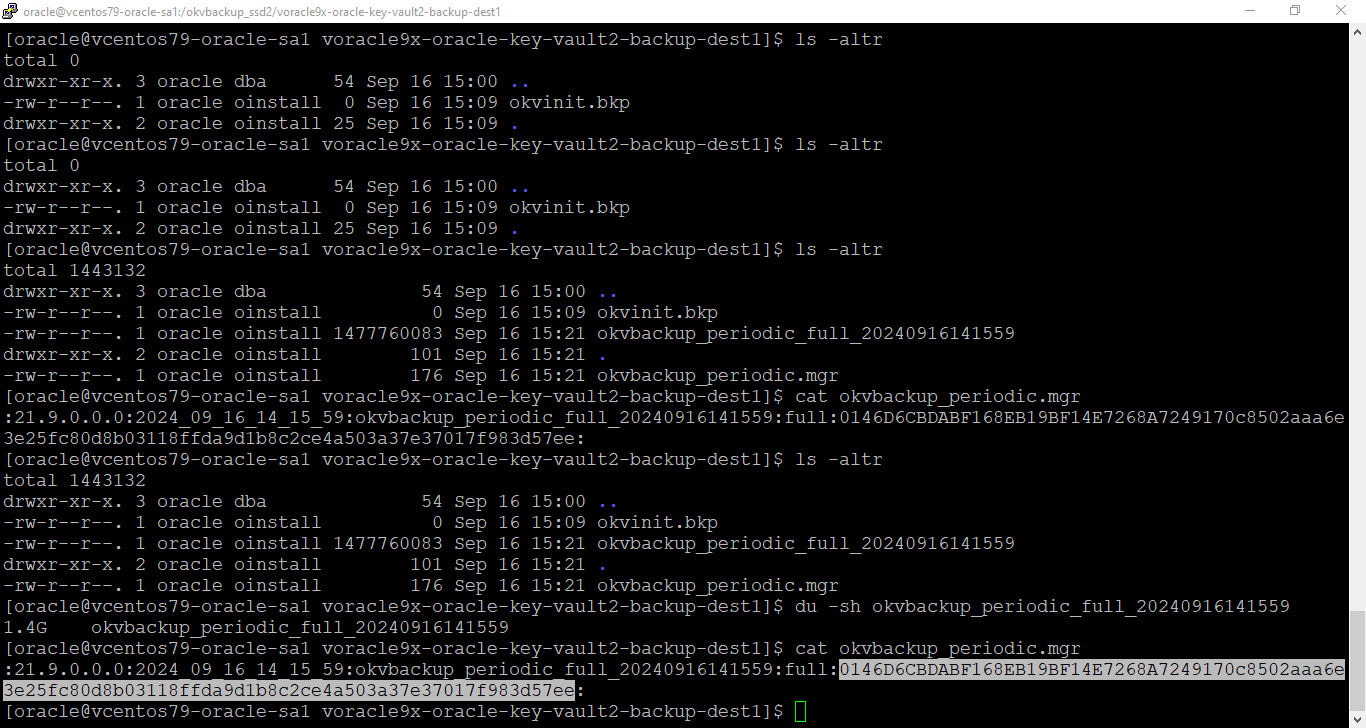
backup finished:
[oracle@vcentos79-oracle-sa1 voracle9x-oracle-key-vault2-backup-dest1]$ ls -altr
total 1443132
drwxr-xr-x. 3 oracle dba 54 Sep 16 15:00 ..
-rw-r--r--. 1 oracle oinstall 0 Sep 16 15:09 okvinit.bkp
-rw-r--r--. 1 oracle oinstall 1477760083 Sep 16 15:21 okvbackup_periodic_full_20240916141559
drwxr-xr-x. 2 oracle oinstall 101 Sep 16 15:21 .
-rw-r--r--. 1 oracle oinstall 176 Sep 16 15:21 okvbackup_periodic.mgr
[oracle@vcentos79-oracle-sa1 voracle9x-oracle-key-vault2-backup-dest1]$ du -sh okvbackup_periodic_full_20240916141559
1.4G okvbackup_periodic_full_20240916141559
[oracle@vcentos79-oracle-sa1 voracle9x-oracle-key-vault2-backup-dest1]$ cat okvbackup_periodic.mgr
:21.9.0.0.0:2024_09_16_14_15_59:okvbackup_periodic_full_20240916141559:full:0146D6CBDABF168EB19BF14E7268A7249170c8502aaa6e3e25fc80d8b03118ffda9d1b8c2ce4a503a37e37017f983d57ee:
[oracle@vcentos79-oracle-sa1 voracle9x-oracle-key-vault2-backup-dest1]$
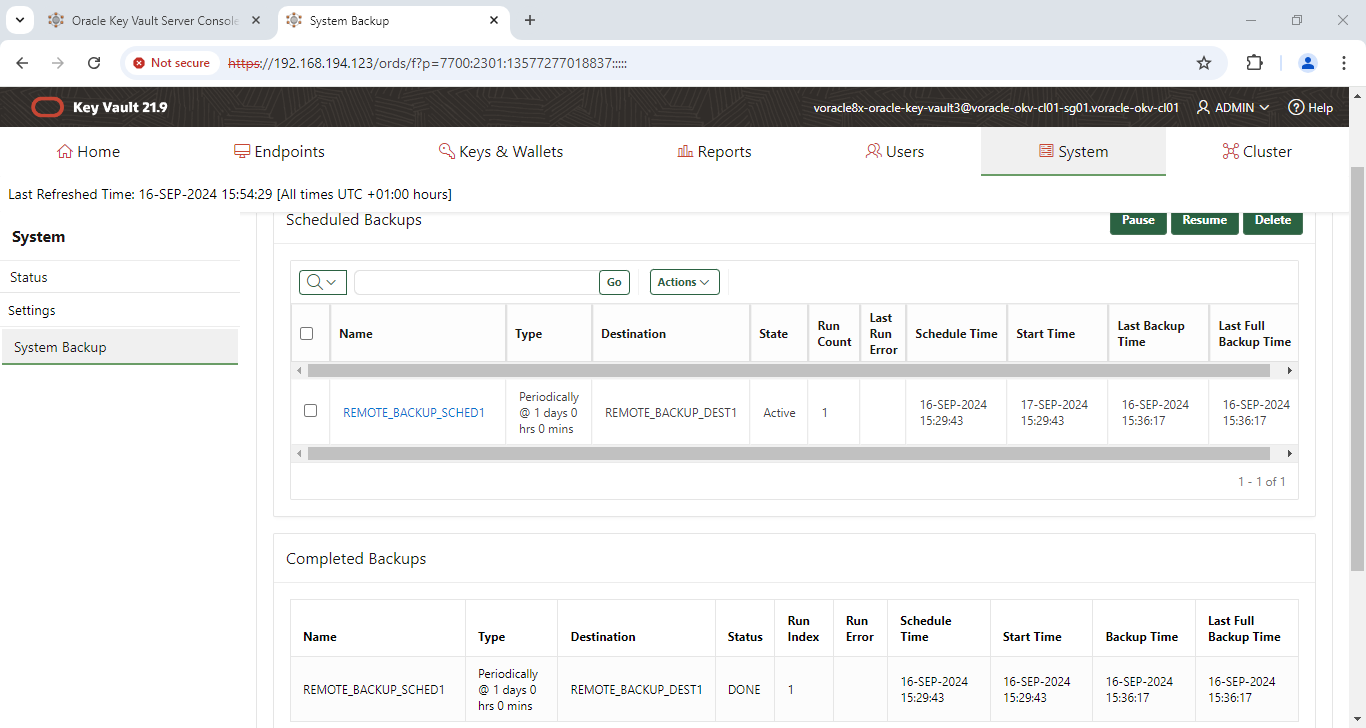
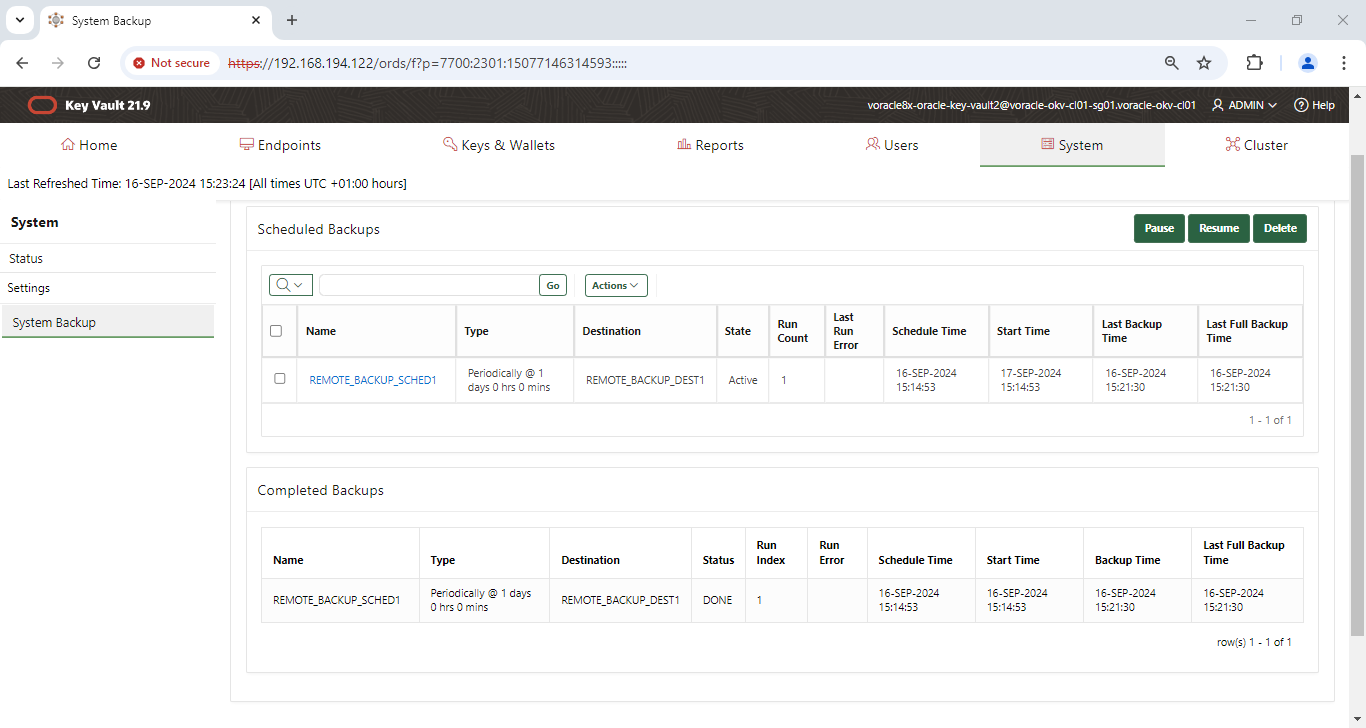
Browser also shows the backup history for the destination selected:
Multi-master other node backup: